There are now dozens of AI video generators on the market. Most "best of" articles rank them by whoever pays the highest affiliate commission. This isn't that article. We build one of these tools (Slenvox), so we know the space intimately — including where our competitors genuinely beat us. Here's what actually matters when choosing an AI video generator in 2026, and which tool fits which use case.
We tested six of the most talked-about platforms: Sora, Runway, Synthesia, HeyGen, Pictory, and Slenvox AI Studios. Each one solves a different problem. None of them solves every problem. The right tool depends entirely on what you're trying to make.
Quick Comparison: Which Tool Does What
Before we dive deep, here's the overview. This table tells you at a glance what each tool is built for and where it falls short.
| Tool | Best For | Max Length | Narration | Pricing (Starting) |
|---|---|---|---|---|
| Sora (OpenAI) | Cinematic short clips | ~1 minute | No | $20/mo (ChatGPT Plus) |
| Runway (Gen-4) | Creative effects & editing | ~40 seconds | No | $15/mo |
| Synthesia | Corporate training & avatars | ~60 minutes | AI avatar | $29/mo |
| HeyGen | Multilingual avatar videos | ~30 minutes | AI avatar | $29/mo |
| Pictory | Quick social media clips | ~25 minutes | Basic AI voice | $25/mo |
| Slenvox AI Studios | Long-form YouTube & documentaries | ~60 minutes | Full AI narration | Free (2 videos/mo) |
Now let's break each one down honestly.
1. Sora (OpenAI)
What it does well
Sora produces the most visually stunning AI-generated video clips available right now. Full stop. If you need a 20-second cinematic shot of a drone flying over an alien landscape, or a slow-motion close-up of rain hitting a window, Sora's output quality is unmatched. The visual fidelity, lighting, and physics simulation are a generation ahead of everything else on this list.
OpenAI has also integrated Sora into ChatGPT, which means anyone with a Plus subscription can generate video from a text prompt. The barrier to entry is extremely low.
Where it falls short
Sora generates clips, not videos. There's no narration, no scripting, no music layer, and no way to stitch clips into a longer piece. If you want a 10-minute YouTube video, Sora gives you beautiful raw material — but you still need to script, narrate, edit, and assemble everything yourself. It's a visual generation engine, not a video production tool.
The maximum duration is also capped around one minute. For creators who need finished, publishable content, this is a significant limitation.
Best for
Short-form creative content, social media visuals, concept art in motion, music videos, and filmmakers who want AI-generated B-roll to drop into larger projects they're editing manually.
2. Runway (Gen-3 / Gen-4)
What it does well
Runway has positioned itself as the creative professional's AI video tool, and the reputation is earned. The motion brush, video-to-video transformation, and style transfer features are genuinely innovative. You can take existing footage and restyle it entirely, animate still images with precise motion controls, or use Gen-4 to direct how AI-generated content moves and behaves.
For editors and visual artists who already work in post-production, Runway slots into existing workflows better than any other tool here. It's not trying to replace your editing software — it's trying to give you superpowers inside it.
Where it falls short
Like Sora, Runway is a clip generator — not a full video production tool. Max generation length sits around 40 seconds with Gen-4. There's no scripting engine, no narration layer, and no automated assembly. It's a creative tool that requires a creative professional to wield it effectively.
The learning curve is also steeper than other options on this list. Motion brush, video-to-video, and inpainting features require some experimentation to get right. If you're not already comfortable with video editing concepts, Runway can feel intimidating at first.
Best for
Creative professionals, filmmakers, video editors who want AI-enhanced effects in their workflow, and anyone making short cinematic content where visual style matters more than length.
3. Synthesia
What it does well
Synthesia owns the AI avatar space. If you need a realistic-looking person delivering a presentation, training module, or corporate message, Synthesia is the most polished option available. The avatars look natural — well past the uncanny-valley phase — and support 140+ languages. You can even create custom avatars modeled after real team members.
For corporate use cases — employee onboarding, internal communications, compliance training, product walkthroughs — Synthesia is genuinely hard to beat. It replaces the need to book a studio, hire on-camera talent, and film a talking-head presentation. The enterprise features (brand kits, approval workflows, analytics) are mature and well thought out.
Where it falls short
Everything is avatar-centric. If you don't want a digital person talking at the camera, Synthesia isn't the tool. There's no documentary mode, no cinematic footage sourcing, no visual storytelling — just an avatar on a background delivering your script. The output always looks and feels like what it is: a virtual presenter in a box.
For YouTube creators, this format is a deal-breaker. Viewers expect visual variety — footage, transitions, B-roll, graphics, scene changes. A talking avatar for 10 minutes straight will tank your audience retention.
Best for
Corporate training, HR onboarding, internal communications, sales enablement presentations, and multilingual business content where the "presenter at a podium" format is expected and appropriate.
4. HeyGen
What it does well
HeyGen occupies similar territory to Synthesia but with a sharper focus on personalization and localization. The video translation feature is genuinely impressive — upload a video of yourself speaking English, and HeyGen outputs a version of you speaking fluent Japanese, Spanish, or Mandarin with matching lip movements. It's almost eerie how well it works.
For sales teams doing outbound video prospecting, HeyGen also offers personalized video at scale. Record one video, swap in each prospect's name and company details, and send hundreds of personalized messages without recording each one individually.
Where it falls short
The same core limitation as Synthesia — you're locked into the avatar and talking-head format. HeyGen has broader personalization options but narrower production capabilities. If your goal is content creation rather than business communication, HeyGen doesn't have the tools you need.
Pricing also escalates quickly once you move beyond basic usage. The per-minute costs for video translation and custom avatar creation can add up fast for teams producing at volume.
Best for
Multilingual content localization, personalized sales outreach at scale, and global marketing teams who need the same message delivered authentically in multiple languages.
5. Pictory
What it does well
Pictory takes the simplest possible approach to AI video: paste in a blog post or script, and it turns your text into a video with stock footage, captions, and background music. For speed and simplicity, it's hard to beat. If you need a 2-minute social media clip summarizing a blog article, Pictory can produce it in minutes with almost no creative input required.
The blog-to-video and article-to-video features are genuinely useful for content repurposing. Marketing teams that publish blog content regularly can turn every article into a social video with minimal effort.
Where it falls short
The output quality reflects the simplicity of the input. Pictory's videos feel templated — stock footage loosely matched to keywords, a generic AI voice reading text over the top, and basic transitions between clips. For a quick LinkedIn post or Instagram story, it works. For a YouTube channel where quality and storytelling matter, the output feels flat and formulaic.
Customization options are limited. You can swap individual clips and adjust captions, but you can't meaningfully control pacing, narrative structure, scene composition, or visual storytelling. It's a utility tool, not a creative one.
Best for
Social media content teams, blog-to-video repurposing, quick explainer clips for LinkedIn and Twitter/X, and anyone who prioritizes speed over production value. If you want the specifics of what Pictory does and doesn't let you change after it generates, we go deeper in our dedicated Pictory comparison.
6. Slenvox AI Studios
What it does well
Full disclosure: this is us. We're going to be honest about what we do well and where we fall short — because you'll find out anyway, and we'd rather you trust us now than be disappointed later.
Slenvox is built for one thing: finished, long-form video ready to publish on YouTube. You give it a topic, and the system handles the entire pipeline — script generation, professional narration, visual sourcing, background music, pacing, and final assembly. The output is a complete 5-60 minute video with cinematic stock footage, AI narration, and a coherent narrative structure from introduction to conclusion.
This is what makes Slenvox different from every other tool on this list. Sora and Runway generate clips. Synthesia and HeyGen generate avatar presentations. Pictory generates quick social content. Slenvox generates actual YouTube videos — the kind with a narrative arc, scene transitions, tonal shifts, and a payoff at the end.
The narration engine is a particular strength. Multiple voice types, natural pacing, and the ability to match voice tone to content type — warm and conversational for documentaries, crisp and authoritative for explainers, dramatic for true crime. The narration carries the video the same way a host carries a TV documentary. For the full walkthrough of producing a video end to end, see our guide to long-form AI video production.
Slenvox also includes a suite of free tools — SEO generators, thumbnail makers, title analyzers, script writers, idea generators — that handle the work around the video that other platforms ignore entirely. Marketing agencies especially benefit from this — see how they use Slenvox to produce weeks of client content in hours.
Where it falls short
Let's be straightforward about our limitations.
Slenvox is not the best tool for short cinematic clips. If you want a stunning 15-second visual sequence generated from pure imagination, Sora produces better raw visual quality than anything we offer. Slenvox is optimized for long-form assembly and narrative flow, not short-form visual generation.
Slenvox doesn't do avatars. If you need a digital presenter talking directly to camera — for training videos, sales messages, or corporate communications — Synthesia and HeyGen are purpose-built for that format. We're not, and we don't plan to be.
The visual sourcing uses stock footage, not AI-generated imagery. This means the visuals are always high-quality and realistic, but they're not custom-generated to match an exact creative vision the way Sora's output is. For most YouTube content, real stock footage is actually preferable — it looks real because it is real. But for purely creative, fictional, or fantastical visual projects, this is a genuine limitation.
Best for
YouTube creators, documentary channels, educational content producers, faceless channels, and anyone who needs finished long-form videos with professional narration — not raw clips or talking heads.
Pricing Comparison
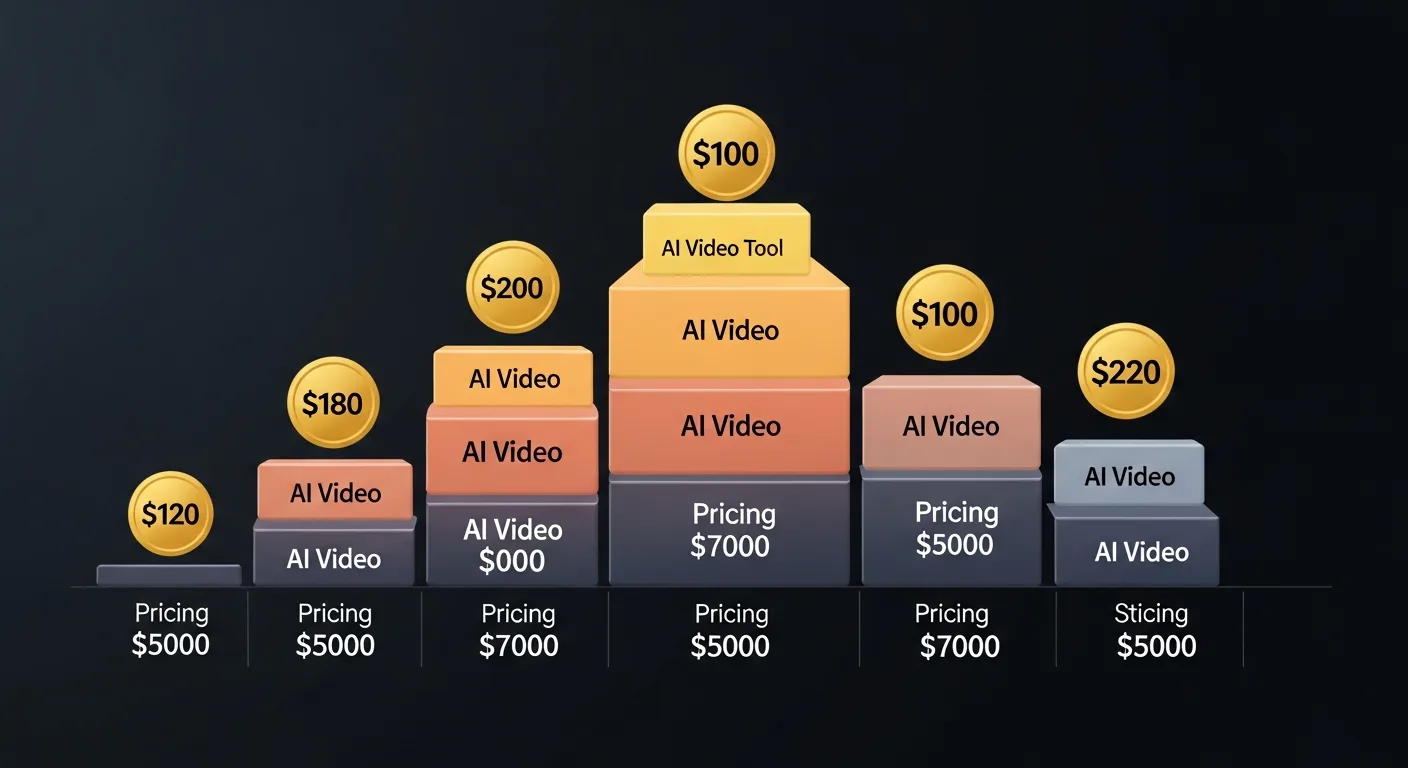
Pricing matters, but comparing these tools on price alone is misleading because they produce fundamentally different outputs. A $20/month Sora subscription and a $49/month Slenvox subscription aren't competing products — one makes clips, the other makes complete videos.
That said, here's what you'll actually spend.
| Tool | Free Tier | Starter Plan | Professional Plan | What You Get |
|---|---|---|---|---|
| Sora | No | $20/mo (via ChatGPT Plus) | $200/mo (Pro) | Short clips, limited generations |
| Runway | Limited trial | $15/mo | $35/mo | Short clips + creative tools |
| Synthesia | No | $29/mo | $89/mo | Avatar videos, 10-120 min/mo |
| HeyGen | 1 free video | $29/mo | $89/mo | Avatar videos + translation |
| Pictory | 3 free videos | $25/mo | $49/mo | Text-to-video, stock footage |
| Slenvox | 2 videos/mo (forever) | $49/mo (5 videos) | $149/mo (20 videos) | Full-length narrated videos |
The key question isn't "which is cheapest?" — it's "what's the cost per finished, publishable piece of content?" A $20 Sora subscription still requires you to script, narrate, edit, and assemble the final video yourself (or pay someone else to do it). A $49 Slenvox subscription gives you 5 finished videos ready to upload — see the full plan lineup for what's included at each tier. When you factor in the full production cost — not just the tool subscription — the per-video economics shift dramatically, as we cover in our detailed cost breakdown comparing AI generation to hiring an editor.
Want to see the exact math for your situation? Our ROI Calculator lets you plug in your current production costs and publishing volume to see the comparison side by side.
Output Quality: What Actually Looks Good
Quality means different things for different use cases. Here's how the output stacks up across the dimensions that matter most to creators.
Visual Quality
Sora leads by a wide margin on raw visual generation. The footage it creates looks photorealistic, with natural lighting, physics, and movement that other generators can't match yet. Runway comes second for creative visual effects and style transfer. Slenvox and Pictory use real stock footage — inherently high quality but not custom-generated. Synthesia and HeyGen produce solid avatar rendering, but the "virtual presenter" aesthetic is always visible.
Audio and Narration
Slenvox leads here. Full narration with multiple voice types, natural pacing, and emotional tone matching. Synthesia and HeyGen have decent avatar speech synthesis. Pictory offers basic text-to-speech that gets the job done. Sora and Runway have no audio capability at all — you're completely on your own for narration, music, and sound design.
Production Completeness
This is where the tools diverge most sharply. If "quality" means "I can upload this directly to YouTube and it's ready for viewers," then Slenvox is the only tool that delivers a complete, publishable long-form video out of the box. Every other tool requires additional steps — editing software, narration recording, music selection, assembly, or some combination — before the output is ready for an audience.
Coming From a Specific Tool?
This roundup covers six tools at a high level. If you're specifically weighing a switch away from one of the text-to-video generators — the category closest to what we build — we've done a deeper, sourced comparison of exactly what each one lets you change after it generates a video, and what doesn't survive the switch:
- InVideo alternative — what Magic Box actually lets you edit, and where it stops
- Fliki alternative — its editor is more capable than its reputation; here's the real gap
- Lumen5 alternative — why videos from the same account start to look alike
- Pictory alternative — the one specific narration limitation worth knowing about
So Which One Should You Pick?
Here's the honest decision framework. No hedging, no "it depends on your needs" cop-out. Specific answers for specific situations:
- You want jaw-dropping short visual clips — Pick Sora. Nothing else comes close for raw visual quality in short-form content.
- You're a creative professional who wants AI-powered effects in your editing workflow — Pick Runway. The motion tools and video-to-video features are built for people who already know their way around a timeline.
- You need corporate training videos or presentations with a virtual presenter — Pick Synthesia. The avatar quality and enterprise features are best-in-class for this format.
- You need to localize video content into multiple languages or personalize sales outreach — Pick HeyGen. The translation and personalization features are their standout strengths.
- You want the fastest possible way to turn a blog post into a social media clip — Pick Pictory. Simple, fast, good enough for social channels.
- You want to build a YouTube channel with finished, long-form, narrated video content — Pick Slenvox. It's the only tool on this list designed from the ground up for this exact use case.
Most creators won't need more than one of these tools. The mistake people make is picking a tool based on hype or brand recognition instead of matching the tool to their actual workflow. A filmmaker making a short film has completely different needs than a YouTube educator — and neither of them needs the same thing as a corporate L&D team building a training library.
The Bottom Line
The AI video space in 2026 is maturing fast. The "one tool to rule them all" doesn't exist, and it probably shouldn't. These tools are solving genuinely different problems for different types of creators and businesses.
Sora is the visual quality king. Runway is the creative professional's playground. Synthesia dominates corporate avatars. HeyGen wins on localization and personalization. Pictory nails quick social content. And Slenvox is the only platform built specifically for long-form, narrated, publish-ready YouTube videos.
The best AI video generator is the one that matches what you're actually trying to create. Not the one with the biggest marketing budget. Not the one your favorite tech reviewer got a sponsorship deal to promote. The one that produces the output you need, at the quality you need, at a price that makes sense for how you work.
We built Slenvox because nobody else was solving the long-form problem. If that's your problem too, we think you'll love it. If it's not, we just told you exactly which tool to use instead. That's what an honest comparison looks like.
Ready to try long-form AI video? Try Slenvox free — no credit card needed. Generate your first video in under 10 minutes and see the output quality for yourself.