
















Turn Any Content Into Video Instantly
PDFs, slides, links, photos and clips become ready-to-share videos.
Turn raw ideas, docs, links and more into narrated, on-brand, long-form, studio-quality videos, powered by context-aware motion graphics and stock sequences.
No credit card requiredFree to test
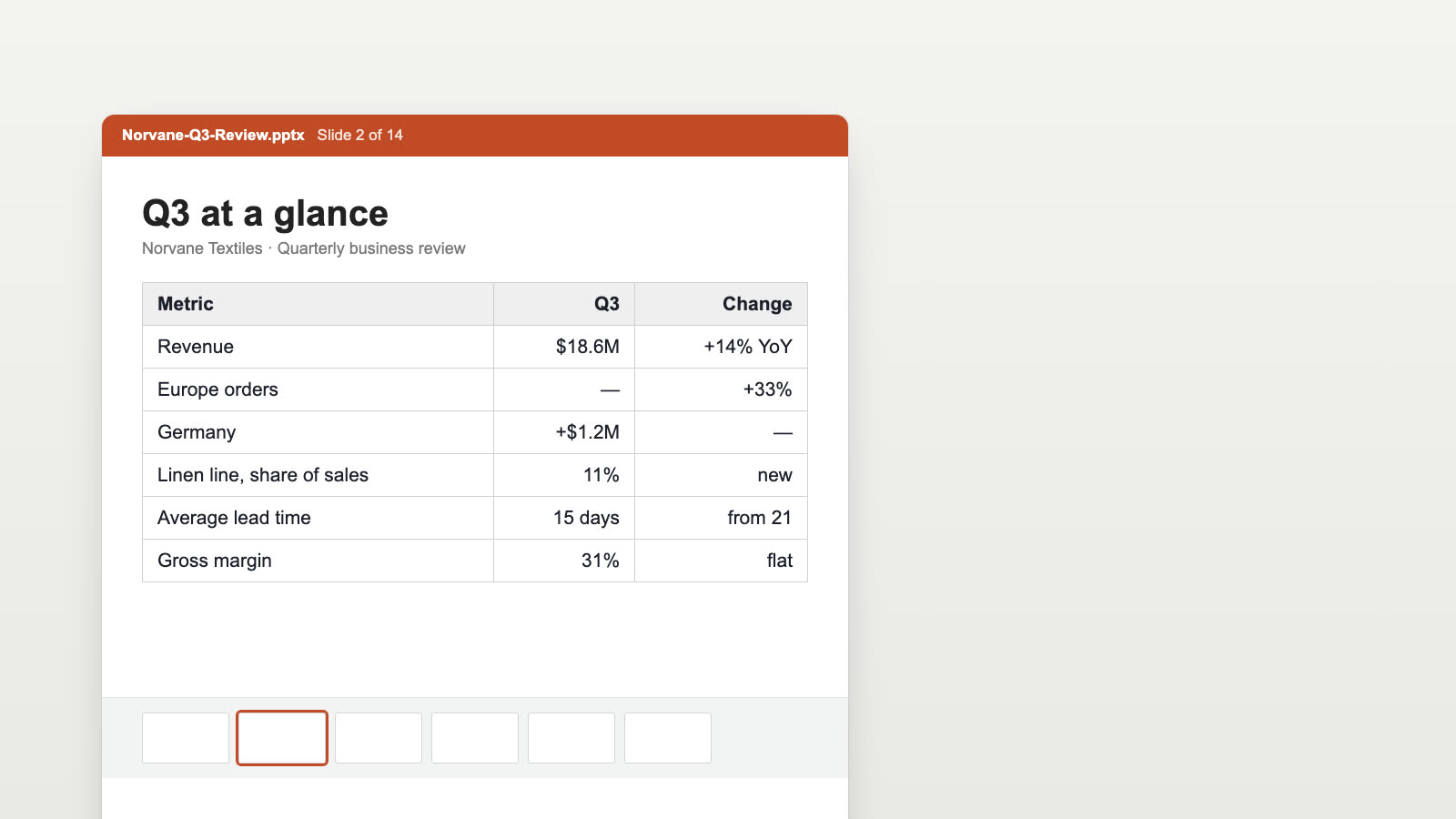
Norvane Textiles · a 14-slide quarterly review turned into animated charts. Drag the handle to compare.
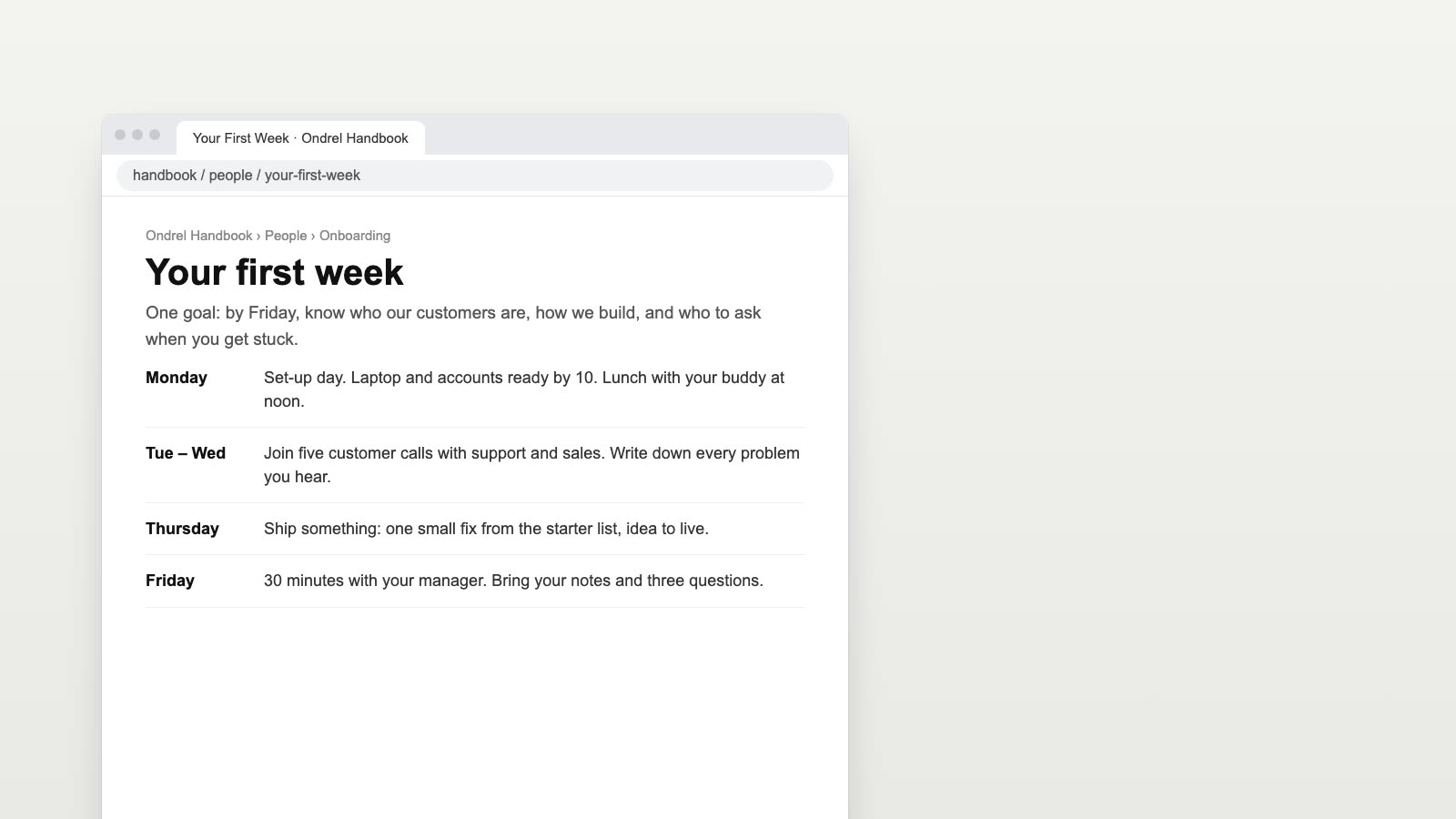
Ondrel onboarding · a handbook web page turned into a welcome video with real footage. Drag the handle to compare.
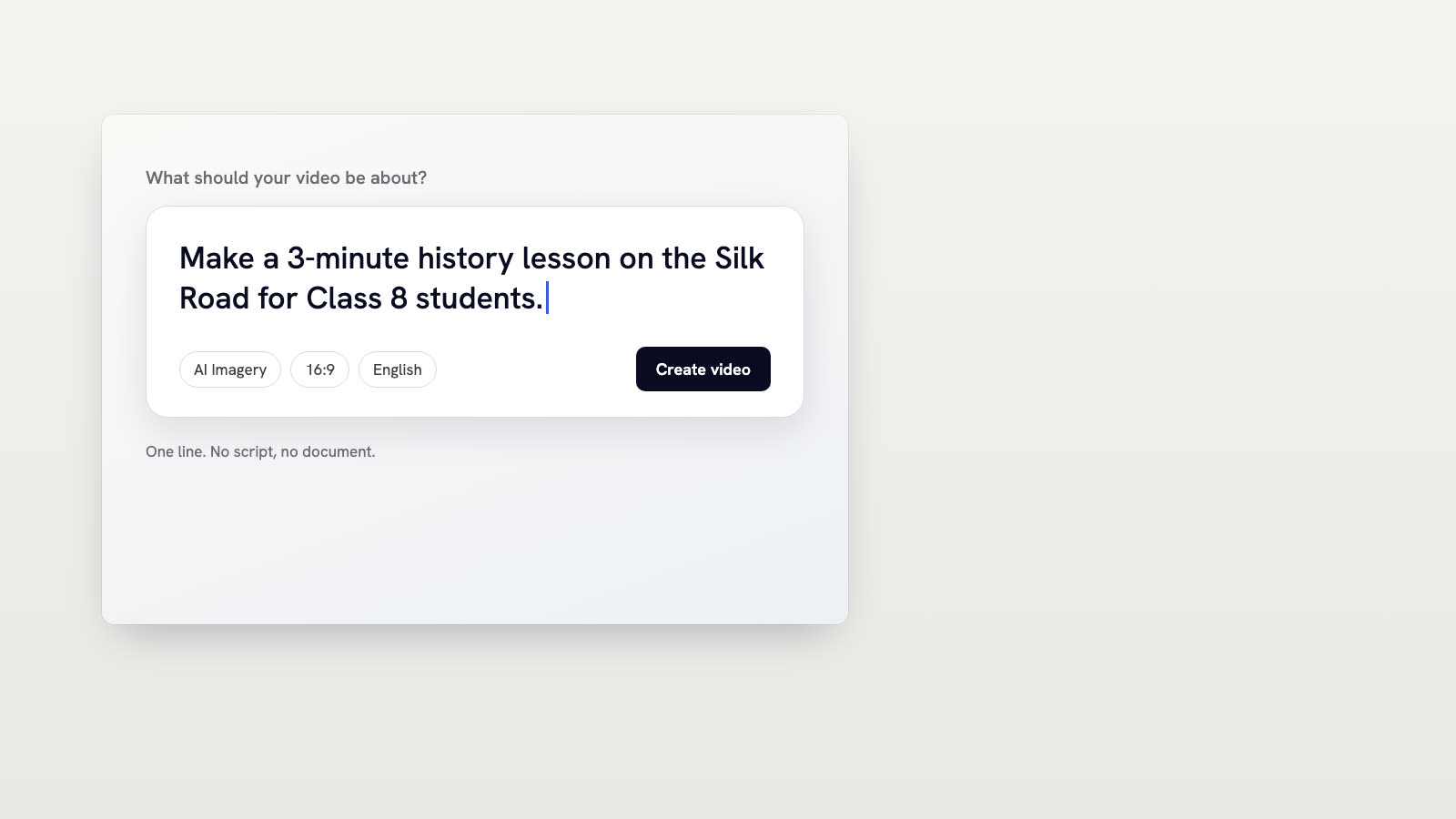
Silk Road lesson · one line of text turned into a lesson with a new picture for each scene. Drag the handle to compare.
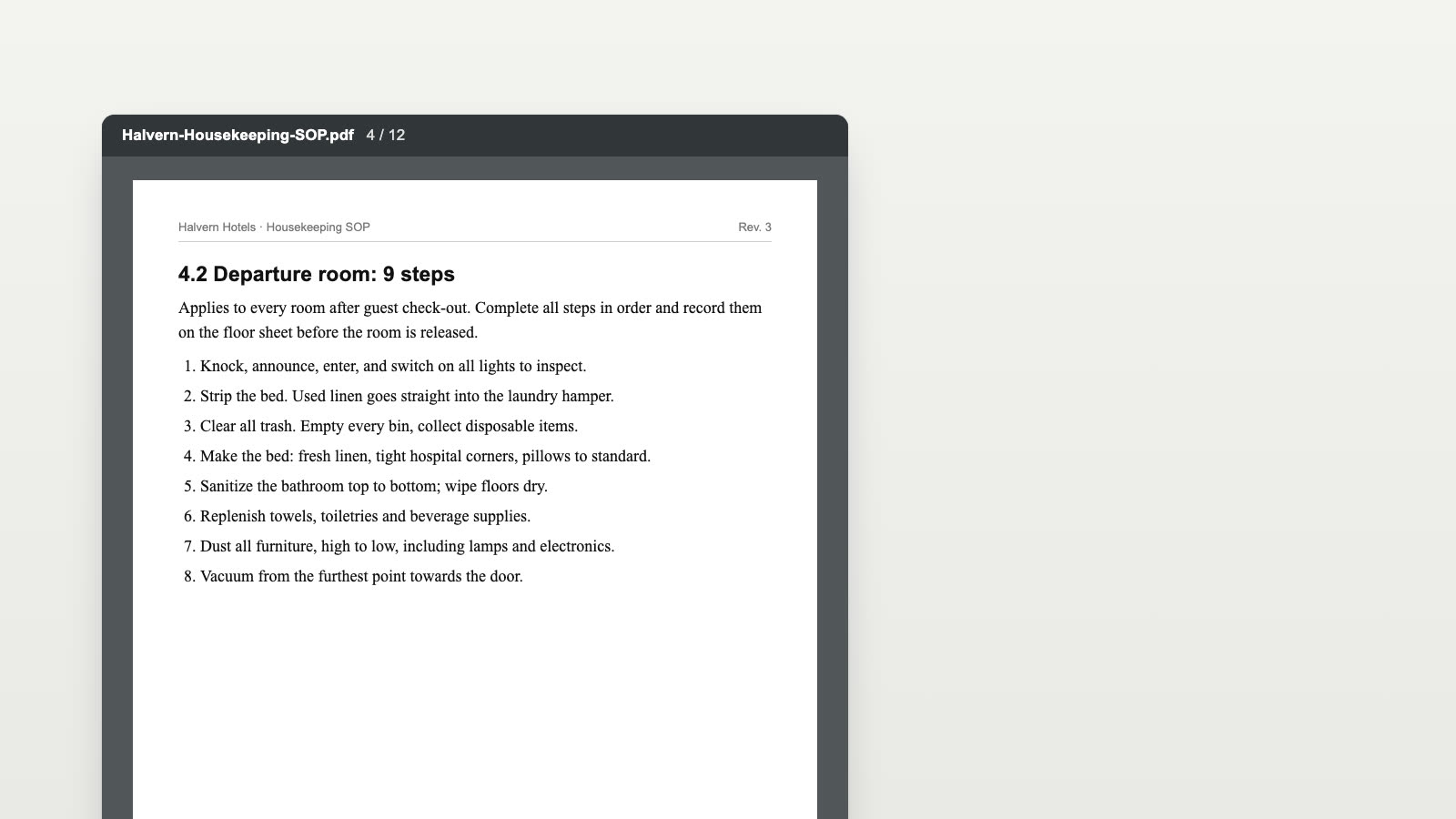
Halvern Hotels · a 12-page SOP turned into a board for each step beside real footage. Drag the handle to compare.
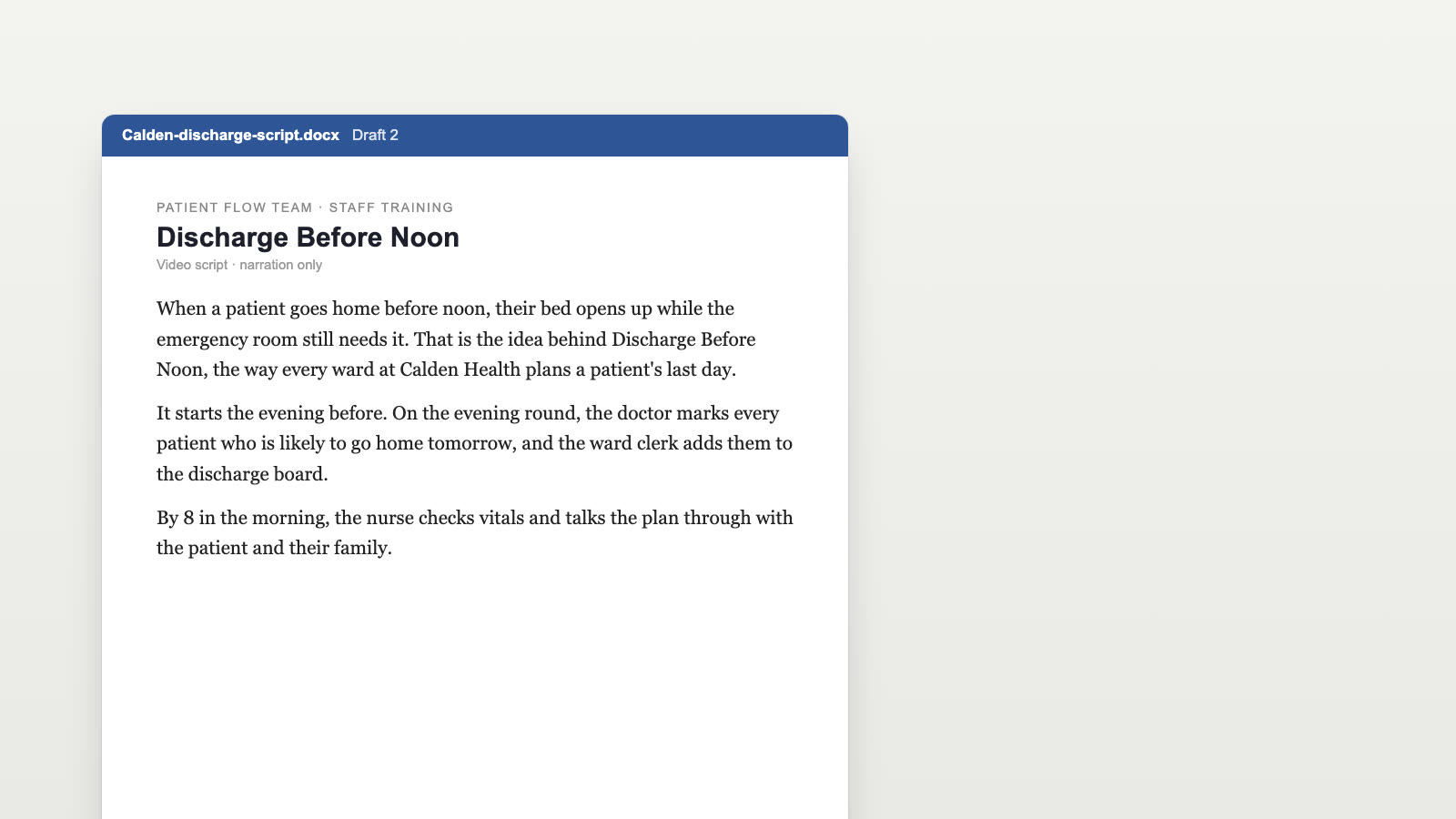
Calden Health · a training script turned into a timeline board beside new pictures. Drag the handle to compare.
Everything a team needs to make videos that look and sound like the company.
Save a logo, colors, fonts, an intro, an outro and music once, and apply them to any video.
Upload company photos, clips and documents once. Slenvox places them in the scenes where they fit.
Choose from 142 natural AI voices in many accents, or narrate in your own voice with My Voice.
Change the footage, graphics, layout and timing of any scene on the review page before you finalize.
Subtitles are added automatically in the video language. Change their style, or turn them off.
Download an MP4, or export the clips and a timeline file that Premiere Pro, DaVinci Resolve and Final Cut Pro open directly.
Product and campaign videos from briefs and decks.
See use caseTraining courses made from slide decks.
See use caseNarrated lessons from class notes.
See use casePitch and product videos for sales teams.
See use casePolicy and onboarding videos for staff.
See use caseSafety training from manuals and SOPs.
See use caseHow-to videos from company documents.
See use caseSecurity awareness videos for staff.
See use caseWrite, narrate, edit and export without switching tools.
PDFs, slides, links, photos and clips become ready-to-share videos.
Type a topic or paste a script to get a publish-ready video.
Animated visuals explain each idea as the narrator speaks.
A matching clip is found for each line of the script.
Logo, colors, fonts, intro and music applied to each video.
Save documents, photos and clips once and use them in many videos.
Script, narration and subtitles in 22 languages.
Choose from 142 voices, or clone one from a 30-second recording.
Download the video, or keep editing it in a third-party video editor.
Set length, platform and audience, then approve the script.
A 30-minute video call with the Slenvox team. See how Slenvox works and get answers about plans.
Pick a Time Slenvox TeamSlenvox Demo30mGoogle MeetYour time zone
Pick a day to see the open times.
Slenvox turns a topic, a script or a document into a finished video: script, narration, motion graphics, stock footage, music and subtitles. Teams use it to explain things clearly, from sales pitches and product explainers to training and lessons.
Yes. The free plan gives you 5 minutes of video once, enough for one video of up to 5 minutes, at 720p with a watermark. No credit card is needed.
Explainers, training and onboarding, SOPs and policies, product explainers, sales enablement, marketing and social videos, lessons and lectures, and report summaries.
A presenter avatar shows a face talking about the topic. Stock footage shows the topic itself: the factory floor, the sales call, the classroom. Viewers see how things work, and the motion graphics carry the key points.
Yes. Upload a PDF or PowerPoint file, or paste a link. Slenvox reads it page by page, writes the script from it, and places its charts and pictures in the scenes where they belong.
Yes. First review and edit the script. Then, on the review page, change scenes, footage, motion graphics, voice, music, subtitles and layout. Nothing is final until you finalize it.












 MY SETUP
 HOW I FILM
 EDITING TIPS